On-Call Requests
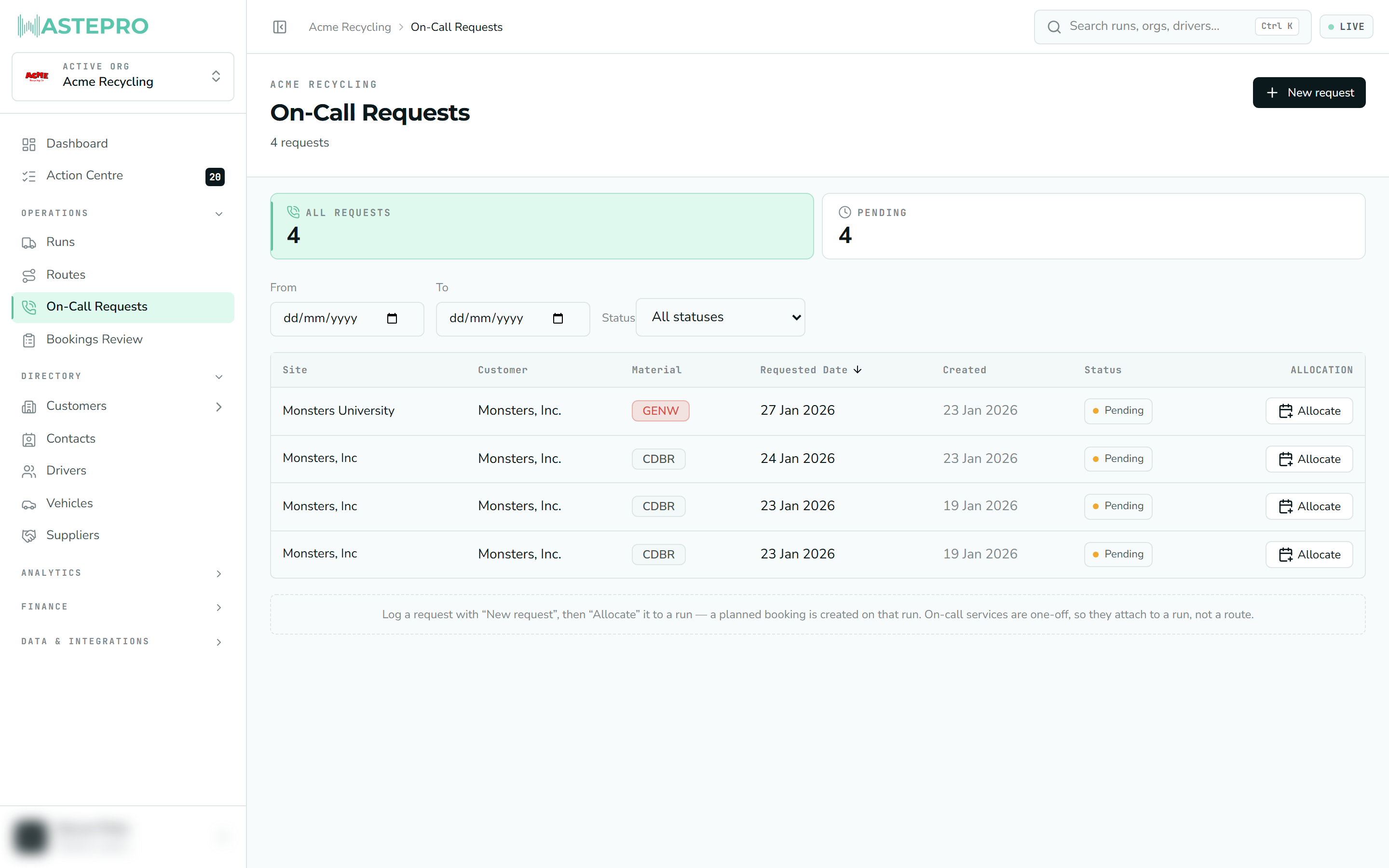
On-Call Requests is where you log ad-hoc, one-off collections — the extra pickup a customer rings up for that isn’t part of their regular schedule. You capture the request against an existing service, then allocate it to a run so a driver actually goes out.
When you’d use it
A service in WastePro is usually a recurring collection (“general waste, every Tuesday”). But customers often need a one-off on top of that — a bin’s overflowing, there’s an extra load this week. Rather than change the schedule, you log it here as a single request tied to that service.
On-call collections are one-offs, so they attach to a run (a specific day’s trip), not a route (a reusable template of stops). That’s why the last step is always “allocate to a run”.
The counts at the top
A strip of tiles summarises the requests in view:
- All requests — every request in the current date range.
- Pending — logged but not yet allocated to a run.
- Allocated — placed on a run and ready to be collected.
Click a tile to filter the list to just those, and use the date filter in the toolbar to change the period.
Logging a request
Open the form
Click New request (top right) to open the Log on-call request panel.
Pick the service
Choose the Service it relates to — the list shows each one as site — material stream, and you can type to search. This links the request to the right place and waste type.
Set the date and save
Enter the Requested date, leave the status on Pending, and click Log request. It now appears in the list, waiting to be allocated.
Allocating to a run
Logging a request doesn’t send anyone out yet — that’s a separate step.
Allocate it
On a Pending row, click Allocate and choose the run it should go on.
A booking is created
WastePro creates a planned booking on that run, and the request flips to Allocated. The row now links straight to the run it’s on.
Undo if needed
Made a mistake? Unallocate removes that planned booking from the run and returns the request to Pending. You’ll be asked to confirm first, since it undoes the booking.
The list columns
| Column | What it shows |
|---|---|
| Site | The site the request is for (links to its service). |
| Customer | Who you’ll bill. |
| Material | The waste stream, as a coloured tag. |
| Requested Date | When the collection is wanted. |
| Created | When the request was logged. |
| Status | Pending or Allocated. |
| Allocation | The Allocate button, or — once allocated — a link to the run plus Unallocate. |
You can sort by any of the headed columns; the list opens sorted by requested date, newest first.
Allocating and unallocating change live run plans, so they need operational-write permission. If you only see the request details with no Allocate button, your account is view-only for operations — see Users & roles.
Next: see where these allocated pickups land on the day’s trip in Runs.